I spent the better part of last Tuesday staring at a terminal window, questioning my career choices. The issue? A “self-healing” SDN mesh network that decided to heal itself by creating a forwarding loop so tight it effectively melted our edge switches.
If you’ve bought into the marketing, Software-Defined Networking (SDN) in a mesh topology sounds like the holy grail. You get the resilience of a mesh—where nodes connect dynamically to whoever is loudest—combined with the centralized intelligence of a controller. Best of both worlds, right? Theoretically, yes. But recently, while deploying a sensor network for a warehouse retrofit using a custom Ryu controller, I hit a wall that the textbooks don’t warn you about.
The Ghost in the Flow Table
The setup was fairly standard for 2026. We had about 50 nodes running Ubuntu 24.04 with OVS 3.3.0. The idea was simple: if the primary uplink fails, the nodes mesh together to find an alternative path to the gateway. The controller pushes flows to manage this.
It worked fine in the lab.
Then we deployed it. Within an hour, the dashboard showed everything green, but traffic had dropped to zero. I SSH’d into Node 12—let’s call him “Problem Child”—and checked the flow table.
The controller thought Node 12 was sending traffic to Node 15. But Node 12 had physically moved slightly (vibration drift is real), and its link quality to 15 tanked. The underlying wireless mesh protocol (B.A.T.M.A.N. adv in this case) had already re-routed Layer 2 traffic to Node 11.
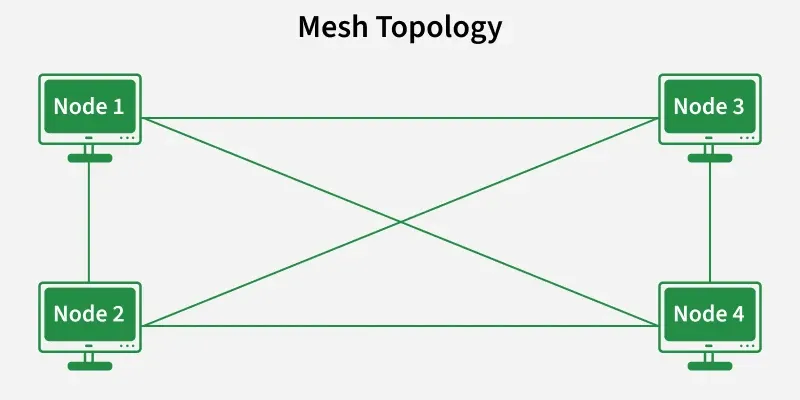
But the SDN controller? It was still pushing OpenFlow rules for the old path.
$ sudo ovs-ofctl dump-flows br-mesh
 cookie=0x0, duration=452.1s, table=0, n_packets=4320, n_bytes=414720, idle_age=0, priority=100,in_port=2 actions=output:3
See that output:3? Port 3 was the interface for the old neighbor. The link was dead, but OVS didn’t know that because the virtual interface was still “up.” The packets were just being blackholed.
Latency Kills Logic
The fundamental problem with SDN over Mesh is the control plane latency. In a data center, your controller is milliseconds away. In a mesh, your control packets (Packet-In/Packet-Out) have to traverse the very network they are trying to configure.
When the network gets congested or re-routes, the control packets get delayed. The controller gets a stale view of the topology. It calculates a “shortest path” based on data from 10 seconds ago, pushes a flow rule, and—oops—you just created a micro-loop.
The “Fix” (aka The Hack)
I realized I couldn’t rely on the controller to react fast enough to Layer 1/2 changes in a mesh environment. The centralized brain is too slow.
The solution wasn’t buying more expensive hardware or upgrading to the latest ONOS release. It was downgrading my expectations and using hard timeouts aggressively.
Instead of permanent flows that wait for a controller deletion message, I forced every flow to self-destruct after 10 seconds. This forces the switch to ask the controller for a new path constantly. It’s noisy, sure. But it prevents stale forwarding rules from persisting through a topology change.
Why Hybrid is the Only Way
Pure SDN in a wireless or unstable mesh is a trap. I learned this the hard way after three coffees and a lot of cursing at tcpdump output.
The most robust implementations I’ve seen recently (as of early 2026) are hybrid. You let the local mesh protocol (like Babel or B.A.T.M.A.N.) handle the immediate “how do I get to my neighbor” logic. You use SDN only for high-level policy—like “Video traffic goes via the high-bandwidth backbone” or “IoT traffic is capped at 1Mbps.”
A Note on Debugging Tools
If you are diving into this, stop using generic visualization tools. They smooth over the glitches. I started using ovs-appctl ofproto/trace directly on the nodes. It tells you exactly what happens to a packet right now, not what the controller thinks should happen.
For example:
ovs-appctl ofproto/trace br-mesh in_port=1,dl_src=00:00:00:00:00:01,dl_dst=00:00:00:00:00:02This command saved me when I found out that a specific rule priority (set to 32768 by default) was overriding my “emergency fix” rules. The documentation said one thing; the switch did another.
So, is SDN in a mesh worth it? Yeah, probably. The visibility is unmatched. But you have to treat the controller as an advisor, not a dictator. If you trust it blindly, you’ll end up with a very expensive, very silent network.
FAQ
Why does my SDN mesh controller push flows to dead links?
Control plane latency is the culprit. In a mesh, Packet-In/Packet-Out messages traverse the same network being configured, so when topology changes or congestion occurs, control packets get delayed. The controller calculates paths based on stale data (sometimes 10 seconds old) and pushes OpenFlow rules for neighbors whose link quality has already tanked, blackholing packets through virtual interfaces that still appear up.
How do I stop stale OpenFlow rules from creating loops in a mesh network?
Force every flow to self-destruct with aggressive hard timeouts, around 10 seconds. This makes the switch constantly ask the controller for a new path instead of trusting permanent flows that wait for a controller deletion message. It’s noisy, but it prevents stale forwarding rules from persisting through topology changes, which is the root cause of micro-loops in unstable mesh environments.
Should I use pure SDN or hybrid SDN for a wireless mesh deployment?
Hybrid is the only robust approach as of early 2026. Let a local mesh protocol like Babel or B.A.T.M.A.N. handle immediate neighbor routing at Layer 2, since they react fast to link changes. Reserve SDN for high-level policy decisions such as routing video traffic through a high-bandwidth backbone or capping IoT traffic at 1Mbps. Pure SDN over unstable mesh is a trap.
How do I debug OpenFlow rules on an OVS mesh node?
Skip generic visualization tools that smooth over glitches. Use ovs-appctl ofproto/trace directly on the node, for example: ovs-appctl ofproto/trace br-mesh in_port=1,dl_src=00:00:00:00:00:01,dl_dst=00:00:00:00:00:02. It shows what actually happens to a packet right now, not what the controller thinks should happen. This helped uncover a default rule priority of 32768 overriding emergency fix rules.