
The Future is Automated: Why Network Automation is No Longer Optional
In the world of modern Computer Networking, complexity is the new normal. The explosion of cloud services, the Internet of Things (IoT), and the rollout of 5G technologies have created network environments that are more dynamic, distributed, and demanding than ever before. For the contemporary Network Engineer or System Administration professional, the days of manually configuring devices one by one via a command-line interface (CLI) are rapidly becoming unsustainable. This manual approach is not only slow and inefficient but also a significant source of human error, leading to costly outages and security vulnerabilities. This is where Network Automation enters the picture, representing a fundamental paradigm shift from reactive troubleshooting to proactive, programmatic management.
Network Automation is the practice of using software to automate the configuration, management, testing, deployment, and operation of network devices and services. It’s a core principle of DevOps Networking, enabling organizations to build more agile, reliable, and secure networks that can scale on demand. This guide will take you on a deep dive into the world of Network Automation, from foundational concepts and practical code examples to advanced orchestration techniques and industry best practices. Whether you’re managing a data center, a global enterprise network, or pioneering Cloud Networking solutions, mastering these skills is crucial for success in the digital age.
Section 1: The Foundations of Network Automation
Before diving into complex scripts and playbooks, it’s essential to understand the core principles and technologies that make Network Automation possible. At its heart, automation is about creating a structured, repeatable process to replace manual tasks. This requires a shift in thinking—viewing your network not just as a collection of physical devices, but as a programmable system.
What is Network Automation and Why Does It Matter?
Network Automation leverages software to interact with network hardware and software. Instead of a human logging into a router or switch, a script does it. This simple change has profound implications. It enhances speed, allowing engineers to deploy changes across hundreds of devices in minutes instead of days. It ensures consistency, as every device receives the exact same configuration, eliminating “configuration drift.” This consistency is a massive boost for Network Security, as it ensures that security policies and firewall rules are applied uniformly. By automating repetitive tasks, engineers are freed up to focus on higher-level challenges like Network Design and Network Architecture, driving innovation rather than just keeping the lights on.
Key Technologies and Protocols
Modern network devices are no longer closed boxes. They expose programmatic interfaces, or APIs (Application Programming Interfaces), that allow software to interact with them. The most common type is the REST API, which uses the standard HTTP Protocol (and its secure counterpart, HTTPS Protocol) to send and receive data. This means that the same web technologies that power websites can now be used to configure a switch or a firewall.
To communicate with these APIs, we use structured data formats, primarily JSON (JavaScript Object Notation) and YAML (YAML Ain’t Markup Language). These human-readable formats are used to define everything from interface configurations to routing policies. Python has emerged as the de facto language for Network Programming, thanks to its simplicity and a rich ecosystem of libraries specifically designed for automation. Libraries like Netmiko, Scrapli, and NAPALM are indispensable Network Tools for any aspiring automation engineer.
Practical Example: Connecting to a Device with Python and Netmiko
Let’s start with a foundational task: connecting to a network device and retrieving information. The Netmiko library simplifies SSH connections to a wide variety of devices. The following Python script connects to a Cisco router and executes the show ip interface brief command, a classic first step in network troubleshooting.
from netmiko import ConnectHandler
from getpass import getpass

# Define the device details
cisco_router = {
    'device_type': 'cisco_ios',
    'host':   '192.168.1.1',
    'username': 'admin',
    'password': getpass(), # Prompts for password securely
    'secret': getpass(prompt='Enter enable secret: '), # For entering enable mode
}

try:
    # Establish an SSH connection to the device
    print(f"Connecting to device: {cisco_router['host']}...")
    net_connect = ConnectHandler(**cisco_router)

    # Enter enable mode
    net_connect.enable()

    # Send a command to the device
    output = net_connect.send_command('show ip interface brief')

    # Disconnect from the device
    net_connect.disconnect()

    # Print the output
    print("\n--- Command Output ---")
    print(output)
    print("----------------------")

except Exception as e:
    print(f"An error occurred: {e}")
This simple script demonstrates the power of programmatic access. It can be easily scaled to run against a list of hundreds of Routers or Switches, gathering data for auditing or Network Monitoring purposes.

Network engineer in data center – diagram
Section 2: Practical Implementation with Ansible and Jinja2
While Python scripts are powerful, for configuration management, tools like Ansible provide a higher level of abstraction and are designed for idempotency—the ability to run a task multiple times with the same end result. Ansible uses simple YAML “playbooks” to define the desired state of your network, making it incredibly accessible.
Configuration Management with Ansible
Ansible is an agentless automation tool, meaning you don’t need to install any special software on your network devices. It connects via standard protocols like SSH. The core components of Ansible are:
- Inventory: A file that lists the devices you want to manage, often grouped by function or location (e.g., `core-switches`, `access-switches`).
- Modules: Pre-built units of code that perform specific tasks, like configuring a VLAN, setting up an interface, or managing Routing protocols.
- Playbooks: YAML files that orchestrate tasks by calling modules against devices in your inventory.
Practical Example: Ansible Playbook for VLAN Configuration
A common task is to ensure a specific VLAN exists on all access switches. Manually, this is tedious and error-prone. With Ansible, it’s trivial. First, define your inventory file (`inventory.yml`):
---
all:
  children:
    access_switches:
      hosts:
        switch01.example.com:
        switch02.example.com:
  vars:
    ansible_network_os: cisco.ios.ios
    ansible_user: admin
    ansible_password: 'YourSecurePassword'
    ansible_connection: network_cli
Next, create the playbook (`configure_vlans.yml`) to define the desired state:
---
- name: Configure VLANs on Access Switches
  hosts: access_switches
  gather_facts: false

  tasks:
    - name: Ensure Guest WiFi VLAN exists
      cisco.ios.ios_vlans:
        config:
          - vlan_id: 100
            name: Guest-WiFi
        state: merged
Running this playbook with the command ansible-playbook -i inventory.yml configure_vlans.yml will connect to both switches and ensure VLAN 100 is configured. If it already exists, Ansible does nothing. If it doesn’t, it creates it. This idempotent behavior is a cornerstone of reliable automation.
Data-Driven Automation with Jinja2 Templates
To truly scale, you must separate your data (like IP addresses, VLAN IDs) from your logic (the configuration structure). This is where templating engines like Jinja2 shine. You create a generic configuration template with placeholders, and then feed it device-specific variables to generate the final configuration. This is crucial for tasks like Subnetting and managing Network Addressing schemes like IPv4 and IPv6 across a large network.
Practical Example: Jinja2 Template for Interface Configuration
Imagine you need to configure dozens of switch access ports. Here is a Jinja2 template (`interface_template.j2`):
interface {{ interface_name }}
 description {{ description }}
 switchport mode access
 switchport access vlan {{ vlan_id }}
 spanning-tree portfast
!
You can then use this template in an Ansible playbook, feeding it variables for each interface. This approach makes your automation flexible, readable, and easy to maintain, forming the basis of a solid Network Architecture.
Section 3: Advanced Automation and Orchestration

Network engineer in data center – diagram
As you mature in your automation journey, you’ll move from single-task scripts to orchestrating complex, multi-step workflows. This is where advanced concepts like Software-Defined Networking (SDN) and using a “Source of Truth” come into play.
The “Source of Truth” Principle
A Source of Truth (SoT) is a central, authoritative repository for all data related to your network. This could be an IP Address Management (IPAM) tool like NetBox or a Git repository. All automation should pull data from the SoT and push state back to it. This prevents conflicting information and ensures your automation is always working with the correct data. For instance, before assigning an IP address, your script should query the SoT to find the next available one in a specific subnet defined by a CIDR block.
Practical Example: Querying NetBox as a Source of Truth
NetBox is a popular open-source SoT. The following Python script uses the `pynetbox` library to fetch all devices at a specific site. This data can then be used to dynamically generate an Ansible inventory or feed other automation scripts.
import pynetbox

# NetBox API details
NETBOX_URL = 'https://netbox.example.com'
NETBOX_TOKEN = 'YOUR_API_TOKEN_HERE'

# Initialize the API object
nb = pynetbox.api(url=NETBOX_URL, token=NETBOX_TOKEN)

try:
    # Query for all devices at the 'corporate-hq' site
    hq_devices = nb.dcim.devices.filter(site='corporate-hq')

    print(f"Found {len(hq_devices)} devices at Corporate HQ:")
    for device in hq_devices:
        primary_ip = device.primary_ip4.address if device.primary_ip4 else "N/A"
        print(f"- Device: {device.name}, Type: {device.device_type.model}, IP: {primary_ip}")

except pynetbox.RequestError as e:
    print(f"API Request Error: {e}")
except Exception as e:
    print(f"An unexpected error occurred: {e}")
This approach decouples your automation logic from your network data, making the entire system more robust and scalable. It’s a cornerstone of modern DevOps Networking and essential for managing complex environments with many Microservices and virtualized components.
Closed-Loop Automation and Self-Healing Networks
The ultimate goal of Network Automation is to create self-healing systems. This is known as closed-loop automation. The process works as follows:
- Monitor: A Network Monitoring tool detects an issue, such as high Latency on a critical link or a failed BGP session.
- Alert: An alert is sent to an event-driven automation system (like SaltStack or StackStorm).
- Remediate: The system triggers a predefined workflow to resolve the issue, such as rerouting traffic via a backup path or restarting a service.
- Validate: The workflow confirms that the issue is resolved and Network Performance has returned to normal.
This creates a network that can automatically respond to faults, significantly reducing downtime and the need for human intervention.
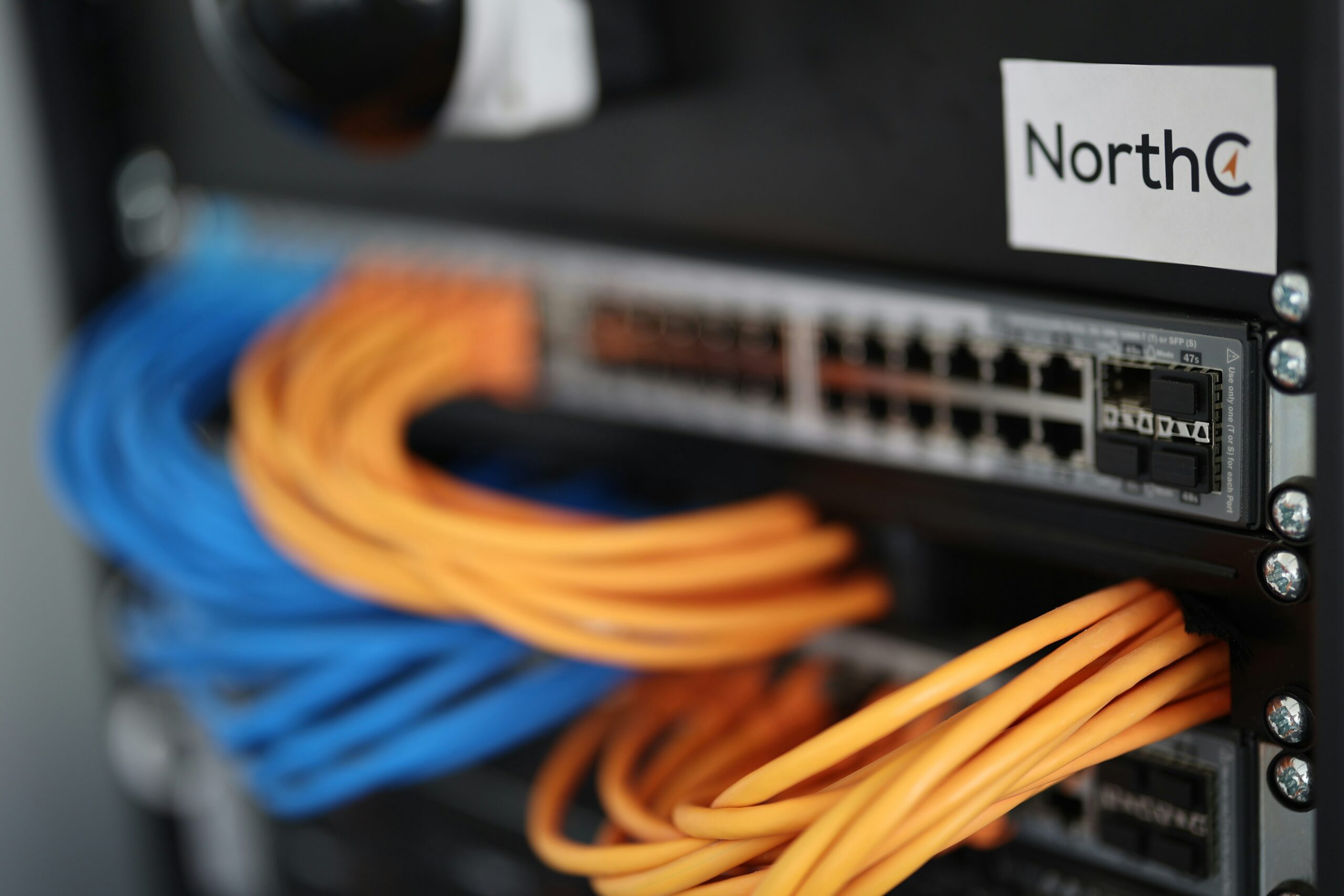
Network engineer in data center – Patchpanel in a cabinet
Section 4: Best Practices, Security, and the Human Element
Building powerful automation carries significant responsibility. A misconfigured script can cause a network-wide outage faster than any manual error. Adhering to best practices is therefore non-negotiable.
Best Practices for Robust Automation
- Version Control Everything: All scripts, playbooks, templates, and even configuration data should be stored in a Git repository. This provides a history of all changes, enables collaboration, and allows for easy rollbacks.
- Test Thoroughly: Use “dry runs” and validation tools to test your automation in a lab environment before deploying to production. This prevents unintended consequences.
- Manage Secrets Securely: Never hardcode passwords or API keys in your scripts. Use a secrets management tool like HashiCorp Vault or Ansible Vault to store and retrieve credentials securely.
- Strive for Idempotency: Ensure your scripts can be run multiple times without changing the result after the first successful run. This makes automation predictable and safe.
The Evolving Role of the Network Engineer
A common fear is that automation will eliminate jobs. In reality, it transforms them. The role of a Network Engineer is evolving from a hands-on-keyboard operator to a developer and architect of automated systems. Skills in Python, API design, and CI/CD pipelines are becoming more valuable than deep knowledge of a specific vendor’s CLI. This shift enables greater flexibility, supporting modern work styles like Remote Work and the Digital Nomad lifestyle. An engineer with these skills can manage a global infrastructure from anywhere, making this an exciting field for those interested in Travel Tech.
Conclusion: Your Journey into Network Automation
Network Automation is not a futuristic concept; it’s a present-day necessity for building and maintaining resilient, scalable, and secure networks. We’ve journeyed from the fundamental “why” to the practical “how,” exploring simple scripts with Netmiko, declarative state management with Ansible, and advanced orchestration using a Source of Truth. The key takeaway is that automation is a mindset—a commitment to building programmatic, repeatable, and data-driven processes.
Your next step is to start small. Identify a repetitive, low-risk task in your daily work, like backing up device configurations or checking interface status, and automate it. Learn the basics of Python or Ansible, set up a small lab environment, and begin experimenting. By embracing these tools and principles, you will not only make your network more efficient and reliable but also position yourself at the forefront of the evolution of Computer Networking.