

I am officially exhausted by VPN marketing. You know the exact pitch I’m talking about. Some tech channel tells you hackers are lurking at your local coffee shop waiting to steal your bank password, and only their sponsor can save you with “military-grade encryption.”
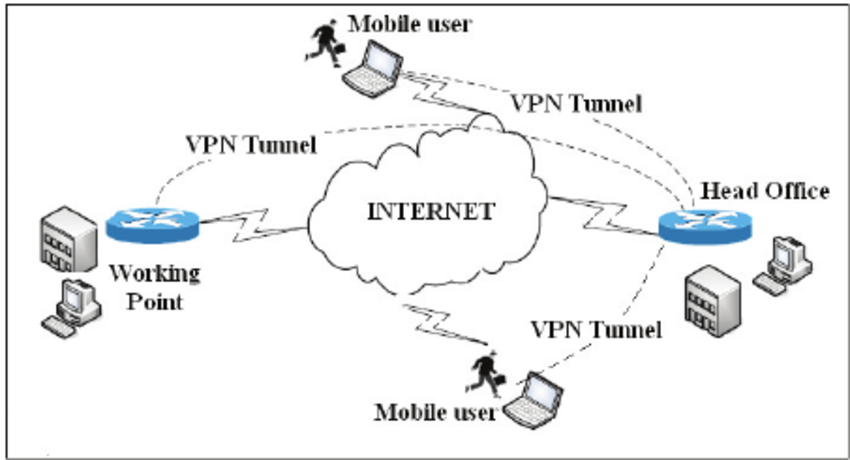
It’s mostly nonsense. Military-grade encryption is just AES-256, which your web browser already uses by default for almost everything. And when you strip away the flashy affiliate codes and the panic-inducing ads, a Virtual Private Network is just an encrypted tunnel between your machine and a server somewhere else. You are shifting your trust from your local ISP to the company running that server. That’s it. So the only question that actually matters is: why should you trust them?
The “No-Logs” Lie and RAM-Only Servers
Every single service claims they keep zero logs. I stopped believing this years ago after a few high-profile cases where “no-log” providers miraculously produced detailed connection records the second law enforcement knocked on their door. Well, that’s not entirely accurate — if a company doesn’t have regular, independent audits from firms like Cure53 or Deloitte, their privacy policy is just a nicely formatted work of fiction. But even audits have a massive blind spot.
Lately, everyone is bragging about “RAM-only servers.” The idea is that if the server loses power, all data is wiped because nothing is written to a hard drive. Sounds great on paper. Here is the gotcha I ran into while setting up my own routing infrastructure last year: if that RAM-only virtual machine is running on a host hypervisor that logs network flows at the hardware switch level, your RAM-only setup doesn’t mean squat. The data is still being captured one layer up.

This is why I only trust providers who have had their claims tested by force. Remember when Swedish police raided Mullvad’s offices a few years back? They showed up with a warrant, tried to seize customer data, and left empty-handed because the data literally did not exist. That is the only kind of “audit” I actually care about.
Jurisdiction and the 14 Eyes
Where a company is headquartered dictates what laws they have to follow. If a provider is based in the United States, they can be hit with a National Security Letter accompanied by a gag order. They could be forced to start logging your traffic, and it would be illegal for them to tell you they are doing it.
I look for companies based in privacy-friendly jurisdictions like Switzerland, Panama, or the British Virgin Islands. They operate outside the 5-Eyes, 9-Eyes, and 14-Eyes intelligence-sharing alliances. But keep your threat model realistic. If you connect to a server physically located in New York, that specific piece of metal is subject to US law, regardless of where the parent company is registered. If a three-letter agency physically seizes that box, you better hope the provider actually configured their encryption keys correctly.
Ditch OpenVPN. Seriously.
If you are still using OpenVPN in your client settings, you are wasting your bandwidth and your battery life. I ran a benchmark last Tuesday on my M3 MacBook Pro running macOS Sonoma 14.3, hooked up to a 1Gbps fiber line. I spun up an OpenVPN connection to a local server. It maxed out around 340 Mbps and I could actually hear my laptop fans spin up.
I killed that connection and switched to WireGuard. I hit 890 Mbps instantly. The CPU usage barely registered. WireGuard is roughly 4,000 lines of code compared to OpenVPN’s bloated 600,000+ lines. It’s faster, it connects almost instantly when you switch from Wi-Fi to cellular, and the cryptographic primitives are modern.
Most commercial apps hide the underlying protocol behind a toggle switch in the settings menu. I usually bypass their bloated apps entirely and just generate a native WireGuard configuration file. It looks something like this:
[Interface]
PrivateKey = a_super_secret_key_here=
Address = 10.66.66.2/32, fd42:42:42::2/128
DNS = 1.1.1.1, 1.0.0.1

[Peer]
PublicKey = the_server_public_key_here=
Endpoint = 198.51.100.4:51820
AllowedIPs = 0.0.0.0/0, ::/0
PersistentKeepalive = 25
Drop that into the official open-source WireGuard client and you never have to look at another promotional pop-up telling you to upgrade your subscription.

You Get What You Pay For
Running thousands of high-bandwidth servers across the globe costs an absolute fortune. If a service is free, they are probably paying for those servers by mining your traffic for marketing data and selling it to brokers. You aren’t getting a free security tool. You are installing corporate spyware.
The same goes for those sketchy “lifetime subscriptions” you see on deal websites for thirty bucks. Server bandwidth is a recurring monthly expense. A company selling lifetime access has a business model that relies entirely on a constant influx of new users to pay for the old ones. That is a Ponzi scheme, and the moment growth slows down, the servers get shut off.
I rotate between Mullvad and Proton depending on what I’m doing. I pay for them monthly. They publish their security audits, their apps are open source, and they don’t spend half their revenue sponsoring podcasters. Pick a tool that actually proves its claims, not the one that shouts the loudest.