Introduction: The Backbone of Global Connectivity
In the vast ecosystem of Computer Networking, few devices are as critical as the router. While often overlooked as a simple blinking box in the corner of a home office, routers are sophisticated computing devices that serve as the fundamental intersection points of the global internet. Functioning primarily at the Network Layer (Layer 3) of the OSI Model, routers are responsible for directing traffic between different networks, ensuring that data packets travel from source to destination efficiently and securely.
The evolution of routing technology has been rapid. From legacy hardware-centric appliances to modern Software-Defined Networking (SDN) solutions, the role of the router has expanded to include advanced security features, traffic shaping, and complex protocol handling. Whether enabling a Digital Nomad to work from a remote beach via VPN or managing terabits of data in a hyperscale data center, routers enforce Network Standards and ensure interoperability. This adherence to strict regulatory standards—often referred to as type approval in various jurisdictions—ensures that equipment is safe, compatible, and capable of sustaining the integrity of telecommunications infrastructure.
This article provides a deep dive into the technical architecture of routers, the protocols that govern them, and how modern Network Engineers and DevOps Networking professionals use code to automate and secure these devices.
Section 1: Core Concepts and Routing Architecture
The Control Plane and Data Plane
To understand how a router functions, one must distinguish between the Control Plane and the Data Plane. The Data Plane (or forwarding plane) is responsible for the actual movement of packets from an ingress interface to an egress interface based on the forwarding table. The Control Plane is the “brain” of the router; it maintains the routing table, runs Network Protocols like OSPF or BGP, and makes decisions on the best path for traffic to take.
In traditional Network Architecture, these planes are tightly coupled within the same hardware chassis. However, in Cloud Networking and SDN, these planes are often decoupled to allow for centralized management and distributed forwarding.
IP Addressing, Subnetting, and CIDR
Routers make decisions based on logical addressing. While IPv4 is still dominant, the exhaustion of addresses has necessitated the adoption of IPv6. A critical skill in Network Design is Subnetting—breaking a large network into smaller, manageable pieces to improve performance and security. CIDR (Classless Inter-Domain Routing) allows for flexible IP address allocation.
Below is a practical example using Python to calculate network subnets, a common task for System Administration and network planning tools.
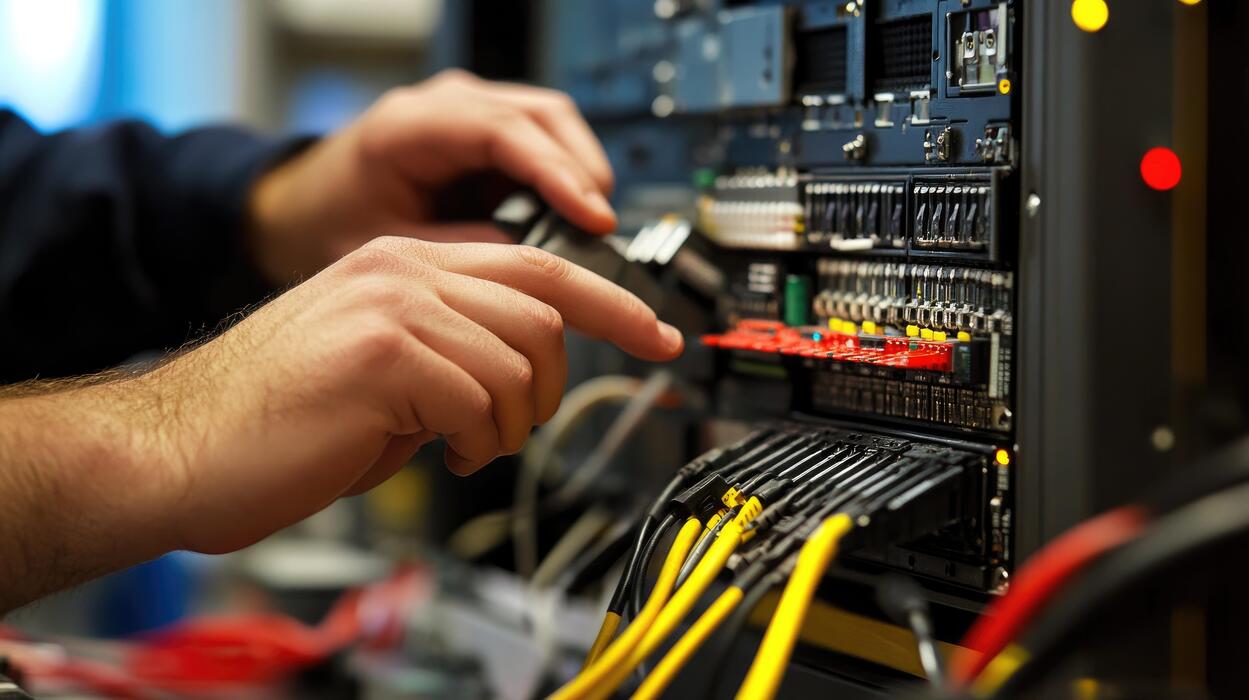
IT technician working on server rack – Technician working on server hardware maintenance and repair …
import ipaddress

def calculate_subnet_details(network_cidr):
    """
    Takes a CIDR string (e.g., '192.168.1.0/24') and prints
    usable hosts, netmask, and broadcast address.
    """
    try:
        # Create an IPv4 network object
        network = ipaddress.IPv4Network(network_cidr, strict=False)

        print(f"--- Network Details for {network_cidr} ---")
        print(f"Network Address: {network.network_address}")
        print(f"Broadcast Address: {network.broadcast_address}")
        print(f"Netmask: {network.netmask}")
        print(f"Total Addresses: {network.num_addresses}")

        # Calculate usable hosts (excluding network and broadcast)
        usable_hosts = list(network.hosts())
        print(f"First Usable Host: {usable_hosts[0]}")
        print(f"Last Usable Host: {usable_hosts[-1]}")
        print(f"Usable Host Count: {len(usable_hosts)}")

    except ValueError as e:
        print(f"Error: Invalid network address - {e}")

# Example Usage
if __name__ == "__main__":
    # Simulating a Network Engineer planning a subnet
    calculate_subnet_details('10.0.5.0/26')
This script utilizes the Network Libraries available in Python to automate the calculation of address ranges, reducing human error in Network Administration.
Section 2: Dynamic Routing Protocols and Automation
Interior vs. Exterior Gateway Protocols
Routers communicate with one another to build a map of the network. Routing protocols are classified into two main categories:
- IGP (Interior Gateway Protocols): Used within a single autonomous system (e.g., a corporate network). Examples include OSPF (Open Shortest Path First) and EIGRP.
- EGP (Exterior Gateway Protocols): Used to route traffic between different autonomous systems. BGP (Border Gateway Protocol) is the standard for the internet, handling the routing decisions that allow ISP networks to interconnect.
Automating Router Configuration
Gone are the days when a Network Engineer would manually SSH into every device to type commands. Modern Network Automation leverages tools like Ansible, Terraform, and Python libraries such as Netmiko or Nornir. This approach, often called “Infrastructure as Code,” ensures consistency and speeds up deployment.
The following example demonstrates how to automate the configuration of a router’s interface and routing protocol using Python and the Netmiko library. This is essential for Protocol Implementation across large fleets of devices.
from netmiko import ConnectHandler
import logging

# Define the device dictionary
cisco_router = {
    'device_type': 'cisco_ios',
    'host': '192.168.10.1',
    'username': 'admin',
    'password': 'secure_password',
    'secret': 'enable_secret',
}

def configure_router_ospf(device):
    """
    Connects to a router and configures OSPF dynamic routing.
    """
    try:
        print(f"Connecting to {device['host']}...")
        net_connect = ConnectHandler(**device)
        net_connect.enable()

        # Configuration commands for OSPF
        config_commands = [
            'router ospf 1',
            'network 192.168.10.0 0.0.0.255 area 0',
            'network 10.0.0.0 0.0.0.3 area 0',
            'passive-interface GigabitEthernet0/1',
            'exit'
        ]

        print("Sending configuration...")
        output = net_connect.send_config_set(config_commands)
        print(output)

        # Save configuration
        save_out = net_connect.save_config()
        print("Configuration saved.")

        net_connect.disconnect()

    except Exception as e:
        print(f"Failed to configure router: {e}")

if __name__ == "__main__":
    # In a real scenario, this would loop through a list of routers
    configure_router_ospf(cisco_router)
This automation is crucial for maintaining Network Performance and reducing Latency caused by misconfiguration. It allows teams to deploy changes to Firewalls, VPN settings, and routing tables instantaneously.
Section 3: Advanced Techniques: SDN and Packet Analysis
Software-Defined Networking (SDN) and APIs
The paradigm shift toward SDN has transformed routers from proprietary hardware into programmable software functions. In an SDN architecture, the control plane is centralized in a software controller, which pushes instructions to the forwarding devices via APIs. This is heavily used in Data Center environments and Edge Computing.
Modern routers and SDN controllers expose a REST API. This allows developers to manipulate network traffic programmatically, integrating networking into Web Services and Microservices architectures. Below is an example of how one might interact with a router’s API to add a static route, a common task in Network Programming.
import requests
import json

def add_static_route_api(controller_ip, token, dest_network, next_hop):
    """
    Adds a static route via a REST API call to an SDN Controller or Modern Router.
    """
    url = f"https://{controller_ip}/api/v1/routing/static-routes"

    headers = {
        "Authorization": f"Bearer {token}",
        "Content-Type": "application/json",
        "Accept": "application/json"
    }

    payload = {
        "destination": dest_network,
        "next-hop": next_hop,
        "distance": 1,
        "description": "Added via Automation Script"
    }

    try:
        # Using verify=False for self-signed certs in lab environments
        response = requests.post(url, headers=headers, data=json.dumps(payload), verify=False)

        if response.status_code == 201:
            print(f"Success: Route to {dest_network} added.")
            print(f"Response: {response.json()}")
        else:
            print(f"Error: {response.status_code} - {response.text}")

    except requests.exceptions.RequestException as e:
        print(f"API Connection Failed: {e}")

if __name__ == "__main__":
    # Example: Directing traffic for a specific service
    add_static_route_api(
        "192.168.99.10",
        "eyJhbGciOiJIUzI1Ni...",
        "172.16.50.0/24",
        "192.168.99.1"
    )
Packet Analysis and Troubleshooting
When Network Troubleshooting is required, engineers often turn to Packet Analysis using tools like Wireshark. However, understanding how to analyze packet headers programmatically is vital for building custom Network Monitoring tools or Intrusion Detection Systems (IDS).
Routers inspect headers to determine the destination. We can simulate this inspection using the Python `scapy` library. This is particularly relevant for understanding TCP/IP interactions, the HTTP Protocol, and the HTTPS Protocol handshakes.
from scapy.all import IP, TCP, Ether, sniff

def packet_callback(packet):
    """
    Callback function to process sniffed packets.
    Simulates a router inspecting Layer 3 and Layer 4 headers.
    """
    if IP in packet:
        src_ip = packet[IP].src
        dst_ip = packet[IP].dst
        proto = packet[IP].proto

        # Determine Protocol Name
        proto_name = "Unknown"
        if proto == 6:
            proto_name = "TCP"
        elif proto == 17:
            proto_name = "UDP"
        elif proto == 1:
            proto_name = "ICMP"

        log_msg = f"Packet Detected: {src_ip} -> {dst_ip} | Protocol: {proto_name}"

        if TCP in packet:
            sport = packet[TCP].sport
            dport = packet[TCP].dport
            log_msg += f" | Ports: {sport} -> {dport}"

            # Identify potential Web Traffic
            if dport == 80 or dport == 443:
                log_msg += " [Web Traffic]"

        print(log_msg)

if __name__ == "__main__":
    print("Starting Packet Sniffer (Simulating Router Ingress)...")
    print("Press Ctrl+C to stop.")
    # Sniff 10 packets for demonstration
    sniff(prn=packet_callback, count=10)
Section 4: Best Practices, Security, and Optimization
Security and Compliance
In the context of Network Security, the router is the first line of defense. It is imperative to ensure that routers are “Type Approved” or compliant with regional regulations. This ensures the hardware meets safety standards and does not interfere with the broader telecommunications spectrum. For Remote Work and Travel Tech setups, using a router that supports robust VPN protocols (like WireGuard or OpenVPN) is essential to protect data over public WiFi.
Key security practices include:
- Firmware Management: Regularly update router firmware to patch vulnerabilities in the OS.
- ACLs (Access Control Lists): Implement strict ACLs to filter traffic at the ingress.
- Disable Unused Services: Turn off Telnet (use SSH instead), UPnP, and unused ports to reduce the attack surface.
Network Performance and Optimization
To maximize Bandwidth and minimize Latency, engineers must look at Load Balancing and Quality of Service (QoS). QoS allows the router to prioritize critical traffic (like VoIP or Zoom calls) over bulk downloads. In complex Network Architecture, integrating a CDN (Content Delivery Network) reduces the load on the origin router by caching content closer to the user.
Furthermore, Network Virtualization allows for the creation of VLANs (Virtual Local Area Networks). This segmentation improves performance by reducing broadcast domains and enhances security by isolating sensitive departments (e.g., Finance) from public guest networks.
Conclusion
The router remains the cornerstone of modern connectivity. From the physical cables of Ethernet to the invisible waves of Wireless Networking, the router’s ability to forward packets intelligently makes the internet possible. As we move toward a future dominated by IPv6, Service Mesh architectures, and Edge Computing, the definition of a router will continue to evolve from a hardware appliance to a sophisticated software function.
For the aspiring Network Engineer or the seasoned System Administration professional, mastering the interplay between routing protocols, security compliance, and API Design is no longer optional—it is essential. By leveraging Network Automation and adhering to rigorous standards, we can build networks that are not only fast and efficient but also secure and resilient enough to power the digital world.