

I remember the bad old days. You know the ones. It’s 11 PM, you need to add a VLAN to a specific bridge on node 3 of your cluster, and you’re staring at a terminal cursor blinking inside /etc/network/interfaces. You make the edit. You type ifreload -a. You hold your breath.
And then the SSH session hangs.
Panic. You just cut off the management interface. Now you have to drive to the datacenter or beg remote hands to plug in a crash cart. I’ve been there. We’ve all been there. It’s a rite of passage, sure, but it’s also a waste of time.
Actually, that’s why I’ve been obsessed with the state of Software-Defined Networking (SDN) in Proxmox lately. As of early 2026, the SDN stack isn’t just an “experimental” feature hidden behind a scary warning flag anymore. It’s the default way I build clusters now. But if you’re still manually bridging interfaces like it’s 2019, you are probably working too hard.
The Core Problem: Bridges Are Dumb
The Linux bridge is reliable. It works. But it has no idea what the rest of your cluster is doing. If you define vmbr1 on Node A, you better make sure you define it exactly the same way on Node B. If you don’t, migration fails, or worse, the VM moves and then drops off the network.
Proxmox SDN, though, it abstracts this. It separates the Control Plane (the logic of where traffic goes) from the Data Plane (the actual packet shoving). You define a “Zone” at the datacenter level, and Proxmox pushes that config to every node. No more SSH loops. No more typo-induced outages.
Zones: The Building Blocks

I’ve been testing the different zone types on a 3-node cluster running Proxmox VE 8.4.2 (on Debian 13 Bookworm base). And here is what actually matters in production:
- Simple Zone: It’s just isolated bridges. Good for testing, useless for clusters.
- VLAN Zone: This is the bread and butter. You tag packets. Your switch handles it. It’s boring, and boring is good.
- VXLAN Zone: This is where it gets fun. It encapsulates Layer 2 traffic inside Layer 3 UDP packets. This means you can stretch a Layer 2 network across a Layer 3 routed infrastructure.
- EVPN Zone: The big gun. BGP routing. If you aren’t a network engineer, this might scare you, but Proxmox handles the FRR (Free Range Routing) config for you.
And just this past weekend, I actually migrated a legacy setup from standard Linux bridges to a VXLAN zone. The goal? To provision tenant networks dynamically without touching the physical Arista switches.
The “Proxinator” Approach: Automating the Stack
The real power here isn’t the GUI. It’s the API. The community has been buzzing about tools that leverage this (often dubbed “Proxinator” style scripts), but the underlying principle is simple: Infrastructure as Code.
Instead of clicking through the UI, I use the Proxmox API to create a VNet (Virtual Network) for every new project. Here is a quick Python snippet I use to spin up a new VXLAN network instantly. I tested this with the proxmoxer library version 2.1.0:
from proxmoxer import ProxmoxAPI

# Connect to the cluster
prox = ProxmoxAPI('192.168.10.5', user='root@pam', password='password', verify_ssl=False)

# Define the VNet ID and the Zone it belongs to
vnet_id = "tenant-505"
zone_id = "vxlan-overlay"

# Create the VNet
try:
    prox.cluster.sdn.vnets.create(vnet=vnet_id, zone=zone_id, tag=5005)
    print(f"Success: {vnet_id} created in {zone_id}")
except Exception as e:
    print(f"Failed: {e}")

# Apply the changes (CRITICAL STEP - don't forget this)
prox.cluster.sdn.put()
And when you run that, the network exists on all nodes instantly. A VM can attach to tenant-505 on Node 1, migrate to Node 3, and never lose connectivity. I didn’t have to log into a switch. I didn’t have to edit a config file. It just works.
The MTU Gotcha (You Will Hit This)
Here is the part where I save you three hours of debugging. I learned this the hard way back in November when my backups were mysteriously failing.

VXLAN adds overhead. It wraps your packet in headers. And if your physical network is set to the standard MTU of 1500, and your inner VM traffic is also 1500, the encapsulated packet will be roughly 1550 bytes. Your physical switch will drop it.
You have two choices:
- Jumbo Frames: Set your physical switches and Proxmox physical interfaces to MTU 9000. This is the “correct” way.
- Shrink the Inner MTU: If you can’t touch the physical switches (maybe you’re in a rented rack), you must lower the MTU inside the SDN Zone config to 1450.
I actually benchmarked the difference using iperf3 between two VMs on different nodes over a 10Gb link. And the CPU usage drop was significant. If you are pushing serious traffic, you need Jumbo Frames. Don’t let anyone tell you otherwise.
EVPN: The Future is BGP
I was terrified of BGP. It felt like something only ISPs dealt with. But Proxmox’s implementation of EVPN (Ethernet VPN) is surprisingly approachable. And it uses BGP to distribute MAC addresses. Instead of flooding the network with ARP requests (“Who has IP 10.0.0.5?”), the nodes just tell each other “Hey, I have MAC address AA:BB:CC on Node 1.”
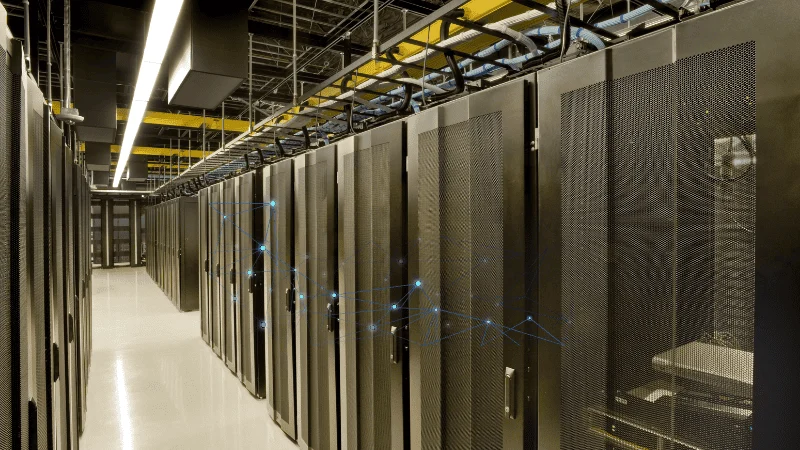
This drastically reduces chatter on the network. On a small 3-node cluster, you won’t notice. But I recently consulted on a 16-node setup where ARP flooding was actually causing latency spikes. Switching to EVPN silenced the noise instantly. The latency graph went flat. It was beautiful.
Final Thoughts
If you are still managing Proxmox networks by hand, stop. The SDN stack in 2026 is stable, it’s integrated, and it keeps you from locking yourself out of your own servers. Whether you use a fancy automation script or just the UI, the separation of logic from the physical cables is the only way to stay sane.
Just watch that MTU setting. Seriously.