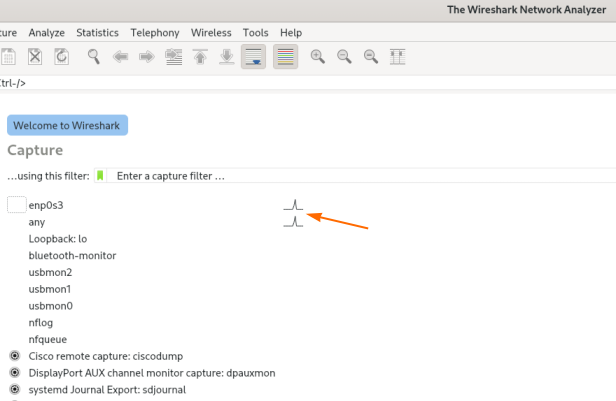
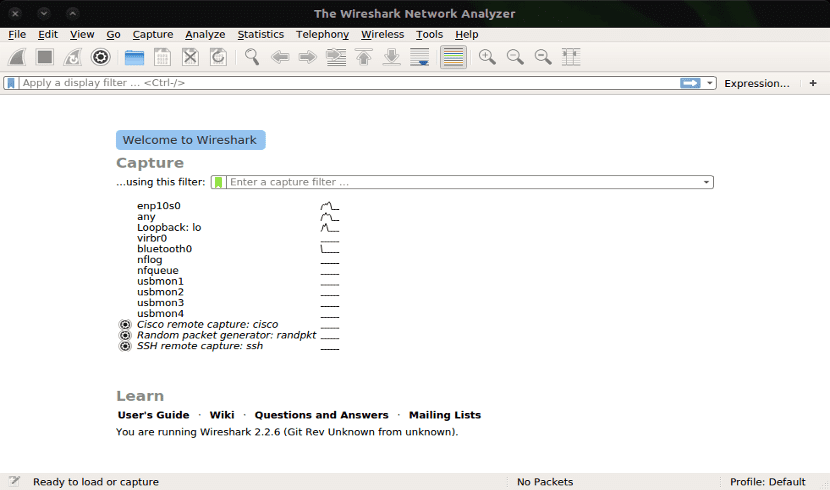
Well, I have to admit, I’ve spent more Friday nights than I care to remember scrolling through Wireshark captures until my eyes glazed over. You know the drill — hunting for that one weird TCP retransmission or a payload that just doesn’t look right, drowning in a sea of blue and black rows. It’s tedious, prone to error, and honestly, about as exciting as watching paint dry.
For a while, I looked at the AI explosion and thought, “Great, but I can’t use that.” And the reason was simple: I work in environments where data privacy isn’t just a suggestion, it’s the law. I can’t go uploading a PCAP file containing sensitive customer traffic to ChatGPT or Claude. That’s a fast track to getting fired and sued, probably in that order. So I was stuck doing it the old-fashioned way.
But — and you knew there was a “but” coming, didn’t you? — hardware got cheaper, and open-weights models got scary good. I finally cracked and decided to build a local pipeline to do the heavy lifting for me. No cloud. No API keys sending data to a server in Oregon. Just my laptop, a local instance of Ollama, and some Python glue.
The Setup: Keeping It Local
I’m running this on my workstation — an Ubuntu 24.04 box with an RTX 4090. You don’t strictly need a GPU that big, but if you want decent inference speeds with larger quantization levels, it helps. For the software stack, I stuck to the basics:
- Ollama 0.5.12: This thing manages the model lifecycle so I don’t have to mess with raw weights.
- Python 3.12.4: Stable, fast enough.
- Scapy: The Swiss Army knife for packet manipulation.
- Model: I’m using
llama3.2:8bfor speed, though I swap tomistral-largeif I need it to reason through complex HTTP payloads.
The goal wasn’t to replace Wireshark. Wireshark is still king for deep inspection. The goal was to have a “buddy” that could scan a 50MB capture file and tell me, “Hey, look at stream 42, it looks like a SQL injection attempt,” without me having to write fifty display filters first.
The Code: Gluing Scapy to Ollama
You know, the thing about LLMs is that they have a context window. You can’t just shove a raw 1GB PCAP file into the prompt and expect it to work — it’ll choke. You have to be smart about what you feed it.
And that’s where my script comes in. It parses the PCAP using Scapy, extracts the text-readable payloads (mostly HTTP/DNS headers), and summarizes the metadata. Then, it feeds that to Ollama.
import requests
import json
from scapy.all import rdpcap, IP, TCP, UDP, Raw

def analyze_packet_chunk(packets):
    summary = []
    for pkt in packets:
        if IP in pkt:
            src = pkt[IP].src
            dst = pkt[IP].dst
            proto = pkt[IP].proto
            payload = ""

            # Try to grab readable payload
            if Raw in pkt:
                try:
                    payload = pkt[Raw].load.decode('utf-8', errors='ignore')[:200]
                except:
                    payload = "<binary>"

            summary.append(f"Src: {src} -> Dst: {dst} | Proto: {proto} | Payload snippet: {payload}")

    prompt = f"""
    You are a network security analyst. Analyze the following packet summaries for anomalies,
    potential security threats, or misconfigurations. Be concise.

    Data:
    {chr(10).join(summary)}
    """

    response = requests.post('http://localhost:11434/api/generate',
                             json={
                                 "model": "llama3.2",
                                 "prompt": prompt,
                                 "stream": False
                             })

    return response.json()['response']

# Load a small sample
packets = rdpcap('suspicious_traffic.pcap')
# Process in chunks of 20 to avoid context limits
chunk_size = 20
for i in range(0, len(packets), chunk_size):
    print(f"--- Analyzing packets {i} to {i+chunk_size} ---")
    analysis = analyze_packet_chunk(packets[i:i+chunk_size])
    print(analysis)
Real-World Test: The “Slow” Scan
And you know, just last Tuesday, I captured some traffic from a staging server that was acting sluggish. The logs were clean, CPU usage was normal, but the network I/O was spiking rhythmically. So I dumped a 60-second PCAP and fed it through my local setup.
I expected the AI to point out the spikes. But it did something better.
The model flagged a series of TCP SYN packets coming from a single internal IP, targeted at sequential ports but with a 5-second delay between each. A human eye (my eye) missed this because the delay made it look like legitimate, albeit sparse, traffic in the Wireshark list view. I wasn’t filtering for SYN flags specifically.
The output from Llama 3.2 was surprisingly sassy: “Packets 12-18 show a pattern of TCP SYN requests to sequential ports (8080, 8081, 8082) from 192.168.1.45. The timing is regular but slow. This looks like a ‘low and slow’ port scan attempting to evade detection thresholds.”
And you know what? It was right. A developer had left a misconfigured health-check script running on a loop that was aggressively probing ports it shouldn’t have been.
Performance: Speed vs. Accuracy
Let’s talk numbers, because “it feels fast” isn’t data. I ran benchmarks comparing manual analysis against this local AI workflow. I used a 5MB PCAP file containing mixed HTTP and HTTPS traffic with a known SQL injection attack buried in it.
Manual Analysis (Me + Wireshark):
- Time to load and apply basic filters: 45 seconds
- Time to identify the specific malicious payload: 4 minutes, 12 seconds.
Local AI Analysis (Script + RTX 4090):
- Script execution time: 38 seconds.
- Result: Identified the SQLi (“UNION SELECT”) in the third chunk of output.
The script was roughly 6x faster at spotting the obvious signature. But there’s a trade-off — when I switched the model to a smaller phi-3 variant to save memory, it missed the attack entirely and instead complained about a non-standard HTTP header that was actually harmless. Size matters here.
The “Gotchas” No One Tells You
And you know, this isn’t a magic bullet. If you try this, you’re going to hit walls. Here are the ones I smashed my face into so you don’t have to.
1. Tokenization Overhead
Packet data is verbose. A single HTTP request with headers can eat up 500 tokens easily. If you use a model with a 4k context window, you can only analyze a handful of packets at a time. I had to implement a “sliding window” in my Python script to maintain context between chunks, otherwise, the AI would see a TCP ACK and have no idea what SYN it belonged to.
2. Hallucinations on Binary Data
I mentioned this earlier, but it bears repeating: LLMs are language models, not hex editors. If you feed them raw hex bytes, they try to find linguistic patterns where there are none. I once had the model tell me a JPG file header was a “malformed SSH key exchange.” It wasn’t. Always sanitize your inputs to text-only or structured metadata before prompting.
3. Privacy Leaks in Prompts
And you know, even running locally, you have to be careful with what you log. My initial script was logging the full prompts to a text file for debugging. I realized later that I had dumped plain-text passwords from a legacy HTTP authentication flow right onto my hard drive in cleartext. Just because it’s not going to the cloud doesn’t mean you can ignore data hygiene.
Why This Matters Now
We are at a weird inflection point. The tools for local inference are finally polished enough that you don’t need a PhD in Machine Learning to spin them up. Ollama pull llama3 is about as difficult as apt-get install vim.
And for network engineers and security analysts, this changes the workflow. We aren’t replacing the human; we’re giving the human a bionic eye. I can look at the high-level architecture while my local model greps through the weeds for syntax errors and anomaly signatures.
I’m currently working on a version of this script that hooks into a live interface rather than reading a file. The latency is still a bit high (about 200ms per packet batch), so it’s not ready for real-time IPS duty, but for a “second monitor” dashboard? It’s getting there.
And if you have a decent GPU gathering dust, stop letting it mine crypto or render games and put it to work on your PCAPs. Your eyes will thank you.
Questions readers ask
How do you analyze PCAP files with a local LLM without sending data to the cloud?
Run Ollama locally alongside a Python script using Scapy to parse PCAP files. The script extracts readable payloads (mostly HTTP/DNS headers) and metadata, then feeds chunks to Ollama’s local API at localhost:11434. This keeps sensitive customer traffic off external servers like ChatGPT or Claude, avoiding privacy violations while still getting AI-assisted packet analysis on your own workstation.
Why can’t you just feed an entire PCAP file into an LLM prompt?
LLMs have a limited context window, so a raw 1GB PCAP will choke the model. Packet data is also verbose — a single HTTP request with headers can consume 500 tokens easily. With a 4k context window, you can only analyze a handful of packets at once, which is why chunking and a sliding window approach are necessary to maintain context between batches.
How much faster is local LLM packet analysis compared to manual Wireshark review?
In a benchmark using a 5MB PCAP containing a hidden SQL injection attack, manual analysis with Wireshark took 4 minutes 12 seconds to identify the malicious payload. The local AI script running on an RTX 4090 completed in 38 seconds and flagged the UNION SELECT signature in its third output chunk — roughly 6x faster than manual inspection.
What hardware and software do you need to run local LLM packet analysis?
The author’s setup is Ubuntu 24.04 with an RTX 4090 GPU, though a GPU that large isn’t strictly required — it mainly helps with inference speed on larger quantizations. The software stack includes Ollama 0.5.12 for model management, Python 3.12.4, and Scapy for packet manipulation. Llama3.2:8b is used for speed, with mistral-large swapped in for complex HTTP payload reasoning.