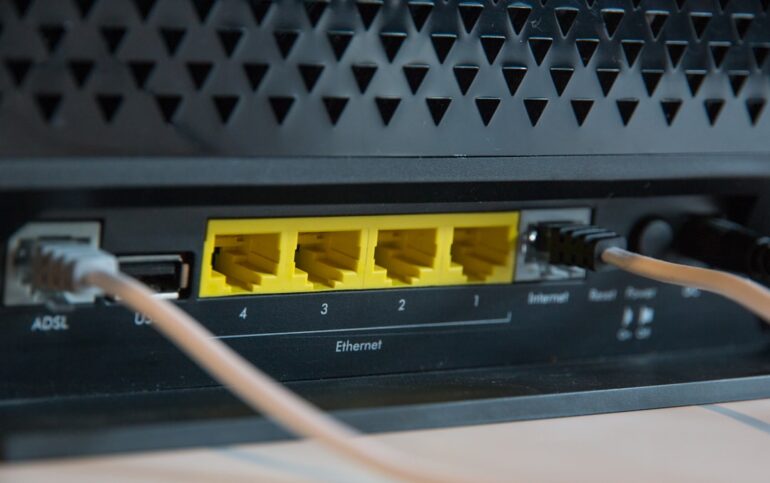
The paradigm of the modern workforce has shifted irrevocably. What was once a niche lifestyle for freelance creatives has evolved into a sophisticated operational model for software engineers, DevOps professionals, and network architects. The rise of the Digital Nomad is no longer just about finding a beach with Wi-Fi; it is a complex exercise in Network Architecture, System Administration, and cybersecurity. As countries like South Africa and various European nations introduce specialized visas for remote workers earning high incomes, the technical requirements for maintaining a professional-grade workflow while traveling have increased exponentially.
For the technical professional, becoming a digital nomad requires more than a laptop and a passport. It demands a deep understanding of Computer Networking, Network Security, and Cloud Networking. When you leave the safety of a corporate intranet, you become your own IT department. You must navigate hostile networks, manage Latency and Bandwidth constraints, and ensure data integrity across borders. This article explores the technical infrastructure required to build a resilient, secure, and high-performance remote work environment, leveraging concepts from the OSI Model to modern Network Automation.
Section 1: The Networking Foundation – Security and Tunneling
The primary concern for any traveling technologist is the insecurity of the Transport Layer and Network Layer in public environments. Hotel Wi-Fi and café hotspots are breeding grounds for packet sniffing and Man-in-the-Middle (MitM) attacks. Relying solely on HTTPS Protocol is insufficient when DNS queries can be leaked or when local ISPs practice aggressive traffic shaping.
To mitigate this, a robust VPN (Virtual Private Network) strategy is non-negotiable. While commercial VPNs are popular, a true Network Engineer often prefers a self-hosted solution to maintain full control over the IP Addressing and encryption standards. WireGuard has emerged as the superior alternative to OpenVPN and IPSec due to its lean codebase, high throughput, and modern cryptography. It operates efficiently at the kernel level, reducing battery drain on mobile devices—a critical factor for travel.
Below is a Python script designed to automate the generation of WireGuard client configurations. This is particularly useful when setting up ephemeral VPN servers on cloud providers (like AWS or DigitalOcean) to ensure a clean IP address for banking or accessing geo-locked corporate resources.
import os
import subprocess

def generate_wireguard_keys():
    """
    Generates a private and public key pair using the wg command line tool.
    Requires WireGuard tools to be installed on the system.
    """
    try:
        # Generate Private Key
        private_key = subprocess.check_output("wg genkey", shell=True).decode('utf-8').strip()

        # Generate Public Key from Private Key
        public_key_process = subprocess.Popen(
            ["wg", "pubkey"],
            stdin=subprocess.PIPE,
            stdout=subprocess.PIPE,
            stderr=subprocess.PIPE
        )
        public_key, _ = public_key_process.communicate(input=private_key.encode('utf-8'))

        return private_key, public_key.decode('utf-8').strip()
    except subprocess.CalledProcessError as e:
        print(f"Error generating keys: {e}")
        return None, None

def create_client_config(client_name, server_pub_key, endpoint_ip, allowed_ips="0.0.0.0/0"):
    """
    Creates a standard WireGuard client configuration file.
    """
    priv_key, pub_key = generate_wireguard_keys()

    if not priv_key:
        return

    config_content = f"""[Interface]
PrivateKey = {priv_key}
Address = 10.0.0.2/32
DNS = 1.1.1.1

[Peer]
PublicKey = {server_pub_key}
Endpoint = {endpoint_ip}:51820
AllowedIPs = {allowed_ips}
PersistentKeepalive = 25
"""

    filename = f"{client_name}_wg0.conf"
    with open(filename, "w") as f:
        f.write(config_content)

    print(f"Configuration generated: {filename}")
    print(f"Client Public Key (add to server peer list): {pub_key}")

if __name__ == "__main__":
    # Example Usage
    SERVER_PUBLIC_KEY = "YourServerPublicKeyHereBase64=="
    SERVER_IP = "203.0.113.5" # Example Public IP

    print("Generating Digital Nomad VPN Config...")
    create_client_config("nomad_laptop", SERVER_PUBLIC_KEY, SERVER_IP)
This script simplifies the Network Administration task of provisioning new devices. By controlling the endpoint, you ensure that your traffic is encapsulated securely before it ever hits the local Wireless Networking infrastructure. This setup also allows you to bypass local DNS Protocol restrictions by forcing traffic through a trusted resolver (like 1.1.1.1 or a private DNS sinkhole like Pi-hole).
Section 2: Network Monitoring and Performance Optimization

A major challenge in Remote Work is the variability of internet connection quality. High Bandwidth does not guarantee low Latency, and packet loss can render SSH sessions or video calls unusable. A proactive Digital Nomad employs Network Monitoring tools to assess the viability of a workspace before committing to it.
Understanding Network Troubleshooting involves more than just running a speed test. It requires analyzing Packet Analysis metrics like jitter and packet loss. Tools like Wireshark are excellent for deep dives, but for continuous monitoring, a lightweight Python script can serve as a “heartbeat” monitor. This allows you to log performance over time, which is useful when negotiating with Airbnb hosts or co-working spaces regarding their advertised speeds versus reality.
The following Python script utilizes standard Network Commands to monitor connectivity stability. It pings a reliable target (like Google’s DNS) and logs instances where latency spikes or packets are dropped, essential for diagnosing Network Layer instability.
import platform
import subprocess
import time
import csv
from datetime import datetime

def ping_host(host):
    """
    Pings a host and returns the latency in milliseconds.
    Returns None if the request times out.
    """
    param = '-n' if platform.system().lower() == 'windows' else '-c'
    command = ['ping', param, '1', host]

    try:
        output = subprocess.check_output(command, stderr=subprocess.STDOUT).decode('utf-8')

        # Parse output for time (simplified for demo purposes)
        if "time=" in output:
            time_index = output.find("time=") + 5
            end_index = output.find(" ms", time_index)
            return float(output[time_index:end_index])
        return None
    except subprocess.CalledProcessError:
        return None

def monitor_connection(host="8.8.8.8", interval=5, log_file="network_log.csv"):
    """
    Continuously monitors connection and logs drops or high latency.
    """
    print(f"Starting Network Monitor targeting {host}...")

    with open(log_file, mode='w', newline='') as file:
        writer = csv.writer(file)
        writer.writerow(["Timestamp", "Latency_ms", "Status"])

        try:
            while True:
                latency = ping_host(host)
                timestamp = datetime.now().strftime("%Y-%m-%d %H:%M:%S")

                status = "OK"
                if latency is None:
                    status = "TIMEOUT"
                    print(f"[{timestamp}] Connection Lost!")
                elif latency > 150:
                    status = "HIGH_LATENCY"
                    print(f"[{timestamp}] High Latency: {latency}ms")

                writer.writerow([timestamp, latency if latency else 0, status])
                file.flush() # Ensure data is written immediately

                time.sleep(interval)
        except KeyboardInterrupt:
            print("\nMonitoring stopped.")

if __name__ == "__main__":
    monitor_connection()
This data is invaluable. If you notice consistent packet loss at specific times, it might indicate Network Congestion at the ISP level or Wireless Networking interference. Armed with this data, you can make informed decisions, such as switching to a backup LTE/5G connection or relocating to a space with enterprise-grade Ethernet cabling.
Section 3: Automating the Nomad Lifestyle with APIs
Beyond the physical layer, the modern Digital Nomad relies heavily on Software-Defined Networking and automation to manage the logistics of travel. Managing visas, tax residencies, and currency fluctuations requires a DevOps approach to life admin. With the introduction of specific nomad visas in countries like South Africa, tracking eligibility requirements (often based on income thresholds in foreign currency) becomes a data problem.
By utilizing REST API integration, we can build tools that monitor exchange rates to ensure compliance with visa income requirements or to trigger alerts when the local currency becomes favorable. This touches upon Network Programming and API Design. We can use Python to fetch data from financial Web Services and process it.
Here is an example of how to interact with a public API to monitor currency exchange rates, a crucial aspect for nomads earning in USD/EUR but spending in local currencies like ZAR, THB, or MXN.
import requests
import json

def check_visa_income_threshold(base_currency, target_currency, income_amount, threshold_target):
    """
    Checks if current income meets the visa threshold in the target country
    based on real-time exchange rates.
    """
    # Using a public open API for exchange rates (Example URL)
    api_url = f"https://api.exchangerate-api.com/v4/latest/{base_currency}"

    try:
        response = requests.get(api_url)
        response.raise_for_status() # Check for HTTP errors (4xx, 5xx)

        data = response.json()
        rate = data['rates'].get(target_currency)

        if not rate:
            print(f"Error: Currency {target_currency} not found.")
            return

        converted_income = income_amount * rate

        print(f"--- Visa Financial Requirement Check ---")
        print(f"Base Income: {income_amount} {base_currency}")
        print(f"Exchange Rate: 1 {base_currency} = {rate} {target_currency}")
        print(f"Converted Income: {converted_income:.2f} {target_currency}")
        print(f"Required Threshold: {threshold_target} {target_currency}")

        if converted_income >= threshold_target:
            print("✅ Status: ELIGIBLE. You meet the financial requirement.")
        else:
            deficit = threshold_target - converted_income
            print(f"❌ Status: INELIGIBLE. Shortfall of {deficit:.2f} {target_currency}")

    except requests.exceptions.RequestException as e:
        print(f"Network Error: {e}")
    except json.JSONDecodeError:
        print("Error parsing API response.")

if __name__ == "__main__":
    # Example: Checking eligibility for a visa requiring 1,000,000 ZAR annual income
    # User earns 60,000 USD
    check_visa_income_threshold("USD", "ZAR", 60000, 1000000)
This script demonstrates the practical application of Network Libraries to solve real-world nomad problems. It highlights the intersection of Travel Tech and coding, allowing nomads to programmatically assess their legal and financial standing in different jurisdictions.
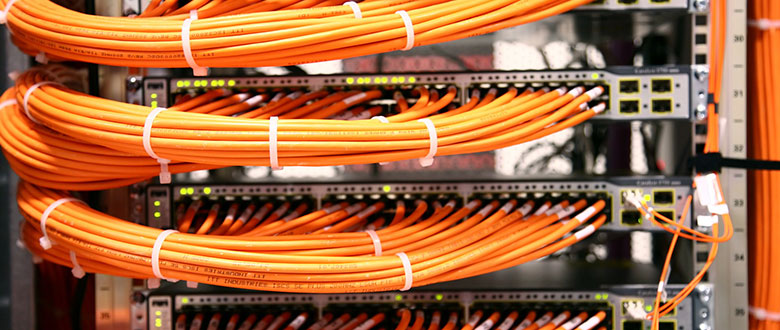
Section 4: Advanced Security and Infrastructure Best Practices
As you move between networks, your device’s attack surface changes. A Network Engineer knows that trusting the local LAN is a mistake. In a co-working space, you are sharing a Subnet with strangers. If Client Isolation is not enabled on the router (a common oversight), your ports are visible to everyone else.
Firewall Configuration and Zero Trust
Adopting a Zero Trust model is essential. This means denying all incoming connections by default. On Linux, iptables or ufw are standard; on macOS, the PF (Packet Filter) is used. Furthermore, ensuring all Application Layer traffic is encrypted via SSL/TLS is mandatory. You should also disable IPv6 if your VPN does not support it to prevent leakage.
Cloud-Based Development Environments
To mitigate the risk of hardware theft or failure while traveling, many nomads are shifting toward Edge Computing and cloud-based development environments. Instead of running heavy containers locally, use a remote VPS. This requires robust SSH management. Below is a helper script to manage SSH configurations, ensuring you can easily jump between servers without remembering complex IP addresses or key paths.
import os

def add_ssh_host(alias, hostname, user, key_path, port=22):
    """
    Appends a new host entry to the user's SSH config file.
    """
    config_path = os.path.expanduser("~/.ssh/config")

    entry = f"""
Host {alias}
    HostName {hostname}
    User {user}
    IdentityFile {key_path}
    Port {port}
    IdentitiesOnly yes
    ServerAliveInterval 60
"""

    # Check if config exists, create if not
    if not os.path.exists(config_path):
        with open(config_path, 'w') as f:
            f.write("# SSH Config File\n")

    # Append the new host
    with open(config_path, 'a') as f:
        f.write(entry)

    print(f"Added {alias} ({hostname}) to SSH config.")
    print("Usage: ssh " + alias)

if __name__ == "__main__":
    # Example: Adding a remote dev server
    add_ssh_host("dev-box", "203.0.113.10", "deploy", "~/.ssh/id_ed25519_nomad")
This approach decouples your work environment from your physical hardware. If your laptop is stolen in a café, your code resides safely on a server protected by Firewalls and SSH Keys. You simply buy a cheap replacement laptop, generate a new key, and resume work immediately.
Conclusion
The lifestyle of a Digital Nomad offers unparalleled freedom, but for the tech-savvy professional, it introduces a layer of complexity that cannot be ignored. By treating your travel setup as a distributed Network Architecture project, you ensure reliability and security regardless of your physical location. From mastering VPN protocols like WireGuard to automating financial compliance via APIs and monitoring Network Performance with custom scripts, the tools discussed here elevate the nomad experience from a chaotic adventure to a streamlined, professional operation.
As remote work visas become more common globally, the distinction between a tourist and a resident worker blurs. Navigating this new frontier requires not just a sense of adventure, but a solid grasp of System Administration and Network Security. By implementing these technical best practices, you protect your data, optimize your workflow, and truly gain the ability to work from anywhere without compromise.