In the evolving landscape of Network Security, the firewall remains the cornerstone of defense strategies. While modern threats—ranging from sophisticated ransomware to critical Remote Code Execution (RCE) vulnerabilities—continue to increase in complexity, the fundamental necessity of controlling traffic flow between trusted and untrusted networks has never been more urgent. Whether you are a Network Engineer managing a corporate data center or a Digital Nomad securing a laptop for Remote Work, understanding the intricacies of firewalls is essential.
A firewall is not merely a plug-and-play device; it is a system that enforces an access control policy. It operates across various layers of the OSI Model, inspecting Network Protocols from the basic Network Layer (IP addresses) up to the complex Application Layer (HTTP/HTTPS payloads). This article provides a comprehensive technical analysis of firewall technologies, exploring Network Architecture, Packet Analysis, and programmatic implementation of security rules using Network Automation.
Core Concepts: The Evolution of Traffic Filtering
To master firewall technology, one must first understand how data traverses a network. At its core, Computer Networking relies on the TCP/IP suite. When a device sends data, it is encapsulated into packets. Firewalls act as the gatekeepers, analyzing these packets against a set of pre-defined rules.
Stateless vs. Stateful Inspection
Early firewalls were “stateless.” They examined individual packets in isolation, checking headers for source and destination IPv4 or IPv6 addresses and port numbers. While fast, they lacked context. If a packet arrived claiming to be part of an established TCP connection, a stateless firewall had no way of verifying that claim.
Modern security relies on “stateful” inspection. Stateful firewalls maintain a dynamic state table that tracks active connections. They understand the TCP 3-way handshake (SYN, SYN-ACK, ACK). If a packet arrives that does not match an entry in the state table or a valid new connection request, it is dropped. This significantly reduces the attack surface against spoofing attacks.
Programmatic Packet Filtering Simulation
To visualize how a firewall engine processes rules involving Subnetting and CIDR notation, we can simulate a basic packet filter using Python. This example demonstrates the logic behind allow/deny lists typically found in Network Devices like Routers and Switches.
import ipaddress

class SimpleFirewall:
    def __init__(self):
        self.rules = []
        self.default_action = "DENY"

    def add_rule(self, action, source_cidr, dest_port, protocol):
        """
        Adds a rule to the firewall chain.
        source_cidr: e.g., '192.168.1.0/24'
        """
        self.rules.append({
            "action": action,
            "source_net": ipaddress.ip_network(source_cidr),
            "port": dest_port,
            "protocol": protocol
        })

    def inspect_packet(self, source_ip, dest_port, protocol):
        """
        Simulates inspecting a packet against the rule set.
        """
        try:
            src_addr = ipaddress.ip_address(source_ip)

            for rule in self.rules:
                # Check if IP is in the allowed subnet
                if src_addr in rule["source_net"]:
                    # Check port and protocol match
                    if dest_port == rule["port"] and protocol == rule["protocol"]:
                        return f"Packet from {source_ip} on port {dest_port}/{protocol}: {rule['action']}"

            return f"Packet from {source_ip} on port {dest_port}/{protocol}: {self.default_action} (Default)"

        except ValueError:
            return "Invalid IP Address Format"

# Implementation
fw = SimpleFirewall()

# Allow SSH from internal management subnet
fw.add_rule("ALLOW", "10.0.0.0/24", 22, "TCP")
# Allow HTTP from anywhere
fw.add_rule("ALLOW", "0.0.0.0/0", 80, "TCP")

# Test Cases
print(fw.inspect_packet("10.0.0.5", 22, "TCP"))   # Should ALLOW
print(fw.inspect_packet("192.168.1.50", 22, "TCP")) # Should DENY (Wrong subnet)
print(fw.inspect_packet("8.8.8.8", 80, "TCP"))    # Should ALLOW
This code highlights the importance of Network Addressing logic. In real-world scenarios, misconfigured Subnetting rules are a primary cause of security breaches or Network Troubleshooting headaches.
Implementation: Linux Firewalls and Network Layers
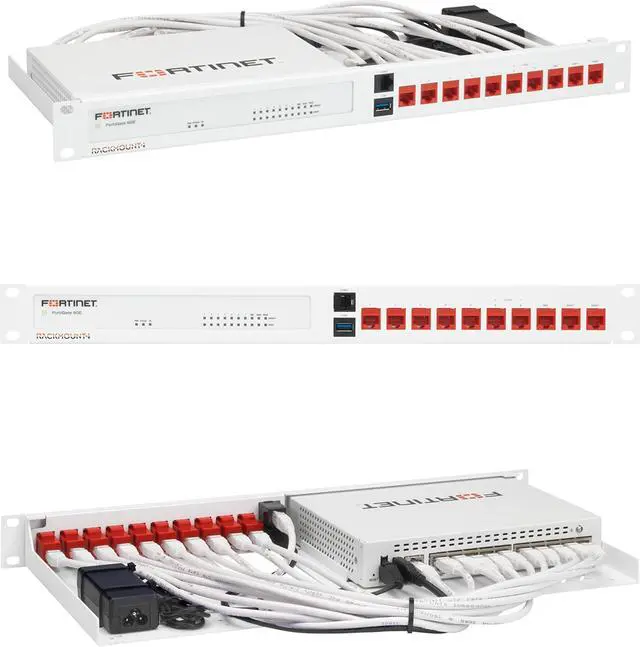
For System Administration and DevOps Networking professionals, Linux provides powerful kernel-level firewall capabilities via Netfilter, manipulated by tools like iptables or the newer nftables. These tools operate primarily at the Transport Layer and Network Layer.
The “Default Deny” Philosophy
One of the most critical best practices in Network Design is the “Default Deny” policy. This means all traffic is blocked by default, and only specific, necessary traffic is allowed. This minimizes the risk of unpatched services being exposed to the internet—a crucial defense when critical vulnerabilities are discovered in software but not yet patched.
Below is a practical Bash script for Network Administration to configure a stateful firewall on a Linux server. It handles SSH access, web traffic, and loopback communication.
#!/bin/bash

# Flush existing rules
iptables -F
iptables -X

# Set Default Policies to DROP (Default Deny)
iptables -P INPUT DROP
iptables -P FORWARD DROP
iptables -P OUTPUT ACCEPT

# 1. Allow Loopback Traffic (Critical for local processes)
iptables -A INPUT -i lo -j ACCEPT

# 2. Allow Established and Related Connections
# This is the "Stateful" part. It allows return traffic for connections
# initiated by the server or already accepted.
iptables -A INPUT -m conntrack --ctstate ESTABLISHED,RELATED -j ACCEPT

# 3. Allow SSH (Modify port if not 22)
# Best practice: Restrict source IP if possible
iptables -A INPUT -p tcp --dport 22 -j ACCEPT

# 4. Allow Web Traffic (HTTP/HTTPS)
iptables -A INPUT -p tcp --dport 80 -j ACCEPT
iptables -A INPUT -p tcp --dport 443 -j ACCEPT

# 5. Log Dropped Packets (For Network Monitoring)
# Limit logging to prevent disk flooding
iptables -A INPUT -m limit --limit 5/min -j LOG --log-prefix "IPTables-Dropped: " --log-level 7

# Save settings (Debian/Ubuntu based)
# netfilter-persistent save

echo "Firewall rules applied successfully."
This script ensures that the server is not visible to Network Tools scanning for open ports, except for the services explicitly defined. It also facilitates Network Monitoring by logging dropped packets, which is vital for identifying suspicious activity.
Advanced Techniques: Application Layer and Automation
As we move up the stack, Next-Generation Firewalls (NGFW) incorporate Deep Packet Inspection (DPI). They don’t just look at ports; they analyze the Application Layer data. They can distinguish between legitimate HTTPS Protocol traffic and malicious traffic tunneled over port 443.
Packet Analysis with Python
Network Engineers often use tools like Wireshark for manual analysis. However, for Network Automation and custom IDS (Intrusion Detection Systems), Python libraries like Scapy are invaluable. The following example demonstrates Network Programming concepts by sniffing traffic and analyzing DNS Protocol queries, which are often used for data exfiltration.
from scapy.all import sniff, DNS, DNSQR, IP

def analyze_dns_packet(packet):
    """
    Callback function to analyze captured DNS packets.
    """
    # Check if packet has IP and DNS layers
    if packet.haslayer(DNS) and packet.haslayer(DNSQR):
        src_ip = packet[IP].src
        dst_ip = packet[IP].dst
        # Extract the queried domain name
        query_name = packet[DNSQR].qname.decode('utf-8')

        print(f"[DNS Monitor] {src_ip} -> {dst_ip} requested: {query_name}")

        # specific threat logic: Check for long subdomains (potential tunneling)
        if len(query_name) > 50:
            print(f"    [ALERT] Suspiciously long DNS query detected from {src_ip}!")

print("Starting Network Sniffer for DNS Traffic...")
# Filter for UDP port 53 (DNS)
# count=0 means sniff indefinitely
sniff(filter="udp port 53", prn=analyze_dns_packet, store=0)
This script is a rudimentary example of how Network Security tools operate. By inspecting the payload (the DNS query), we gain insights that a simple port-based firewall would miss.
Cloud Networking and Infrastructure as Code
In the era of Cloud Networking, firewalls are often virtualized. Software-Defined Networking (SDN) allows us to define security rules via code. Whether using AWS Security Groups or Azure Network Security Groups, the principles of Network Virtualization apply.
Using Network APIs and Python (Boto3 library), we can automate the deployment of firewall rules. This is essential for DevOps Networking pipelines where infrastructure is ephemeral.

import boto3
from botocore.exceptions import ClientError

def configure_cloud_firewall(vpc_id, description):
    ec2 = boto3.client('ec2')

    try:
        # Create a Security Group (Virtual Firewall)
        response = ec2.create_security_group(
            GroupName='Web-Server-SG',
            Description=description,
            VpcId=vpc_id
        )
        sg_id = response['GroupId']
        print(f"Security Group Created: {sg_id}")

        # Define Inbound Rules (Ingress)
        # Allow HTTPS from everywhere
        # Allow SSH only from a specific corporate VPN IP
        ip_permissions = [
            {
                'IpProtocol': 'tcp',
                'FromPort': 443,
                'ToPort': 443,
                'IpRanges': [{'CidrIp': '0.0.0.0/0'}]
            },
            {
                'IpProtocol': 'tcp',
                'FromPort': 22,
                'ToPort': 22,
                'IpRanges': [{'CidrIp': '203.0.113.50/32'}] # Corporate VPN IP
            }
        ]

        ec2.authorize_security_group_ingress(
            GroupId=sg_id,
            IpPermissions=ip_permissions
        )
        print("Inbound rules configured successfully.")

    except ClientError as e:
        print(f"Error configuring firewall: {e}")

# Example usage (requires AWS credentials configured)
# configure_cloud_firewall('vpc-12345678', 'Web Server Firewall')
This approach integrates API Security and infrastructure management, ensuring that every server launched complies with security standards automatically.
Best Practices and Optimization
Implementing a firewall is only the first step. Maintaining Network Performance while ensuring security requires continuous optimization. High Latency or low Bandwidth throughput can often be traced back to inefficient firewall rules or overloaded Deep Packet Inspection engines.
Rule Optimization and Ordering
Firewalls process rules sequentially. Therefore, the most frequently hit rules should be placed at the top of the list. However, this must be balanced with security priority. A common mistake in Network Troubleshooting is placing a broad “ALLOW” rule above a specific “DENY” rule, inadvertently opening access.
Monitoring and Logging
Logs are the black box of your network. Integration with SIEM (Security Information and Event Management) tools is vital. You should monitor for:
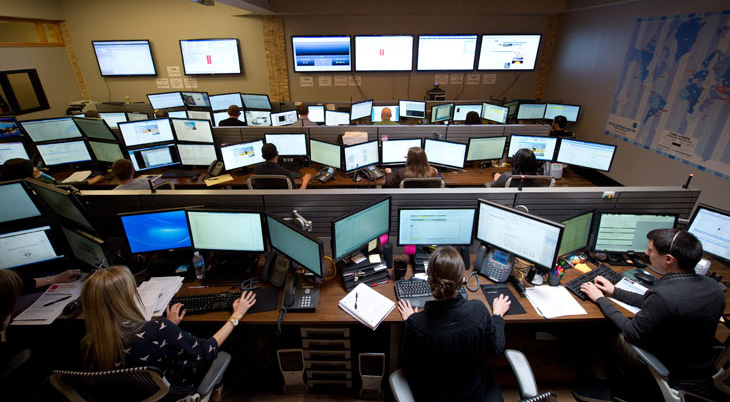
- Spikes in Denied Traffic: Could indicate a brute-force attack or a misconfigured application.
- Outbound Connections to Unknown IPs: A potential sign of a compromised server calling back to a C2 (Command and Control) server.
- Changes in Admin Access: Critical for detecting unauthorized configuration changes.
For those in Tech Travel or using Travel Tech, relying on a VPN combined with a local firewall is non-negotiable when accessing public WiFi. The “Default Deny” policy on your laptop’s firewall protects you from other users on the same coffee shop network.
Microservices and Service Mesh
In modern application development involving Microservices, traditional perimeter firewalls are insufficient. Traffic moves laterally (East-West) between services. Implementing a Service Mesh (like Istio or Linkerd) provides mutual TLS (mTLS) and fine-grained access control, effectively acting as a distributed firewall for Web Services and REST API communications.
Conclusion
Firewalls have evolved from simple packet filters to sophisticated, intelligent systems capable of analyzing Network Layers from the wire to the application. Whether you are configuring physical Network Cables and Ethernet ports or defining Cloud Networking policies via Terraform or Python, the principles remain the same: least privilege, visibility, and defense in depth.
As threats become more automated, our defenses must follow suit. Utilizing Network Automation and robust Network Standards ensures that your security posture remains resilient against the latest vulnerabilities. Regular audits, strict adherence to the “Default Deny” philosophy, and continuous Network Monitoring are the hallmarks of a secure infrastructure. By mastering these tools and concepts, you ensure the integrity and availability of your digital assets in an increasingly hostile online world.